Julia Pfeiffer Burns State Park, CA
Sign in to add this photo to your favorites and desktop wallpaper rotation.
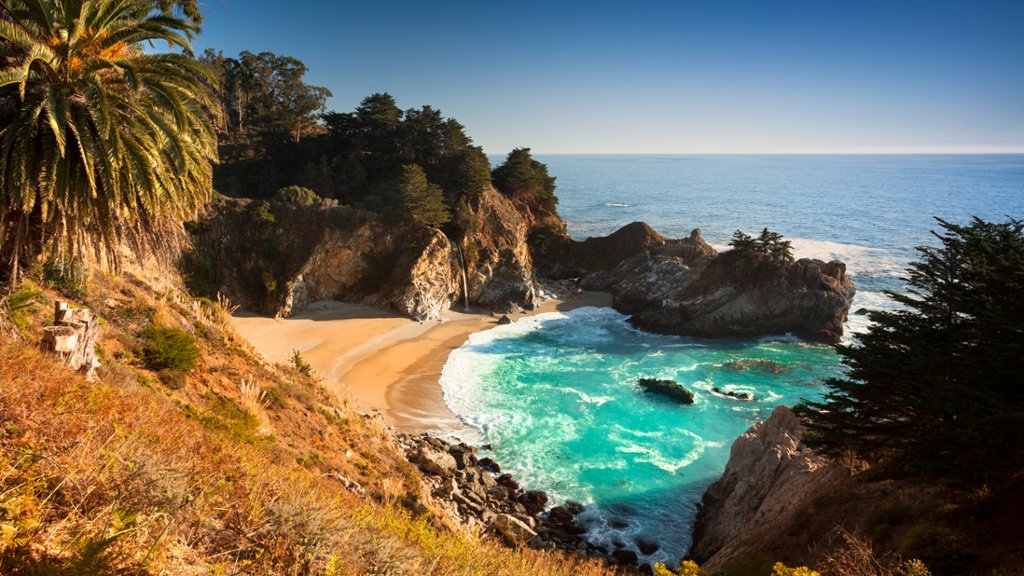
Julia Pfeiffer Burns State Park is a stunning coastal state park located in Big Sur, California. The park is named after Julia Pfeiffer Burns, a respected pioneer woman in the Big Sur region. One of the most iconic features of the park is McWay Falls, a picturesque waterfall that drops 80 feet onto a pristine beach below. The park also offers breathtaking views of the rugged cliffs and the Pacific Ocean, making it a popular spot for photographers and nature enthusiasts. Visitors can enjoy a variety of activities in the park, including hiking, picnicking, and bird-watching. The park is home to a diverse array of plant and animal species, including California condors, so visitors are encouraged to tread lightly and respect the natural environment. Overall, Julia Pfeiffer Burns State Park is a must-visit destination for anyone looking to experience the beauty of California's central coast.