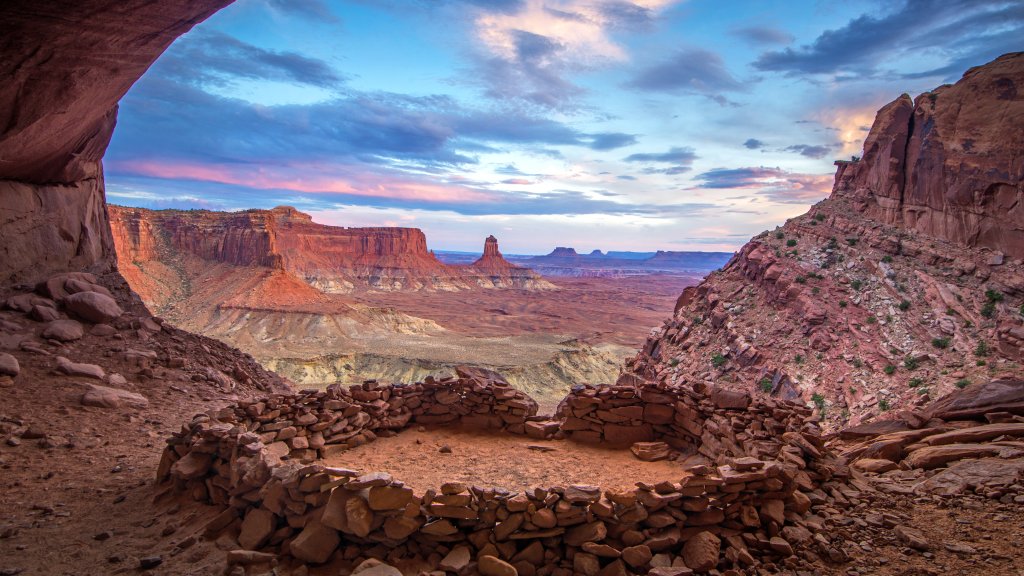
Canyonlands National Park, Utah
Sign in to add this photo to your favorites and desktop wallpaper rotation.
Canyonlands National Park is a stunning national park located in southeastern Utah, known for its dramatic desert landscape carved by the Colorado River and its tributaries. The park covers over 337,000 acres and is divided into four distinct districts: Island in the Sky, The Needles, The Maze, and the rivers themselves. Island in the Sky is the most accessible district, offering breathtaking panoramic views from its high mesa, with overlooks that provide vistas of the surrounding canyons and the distant La Sal Mountains. The Needles district is named for its colorful spires of Cedar Mesa Sandstone and is popular for hiking and backpacking, offering a more rugged and remote experience. The Maze is the least accessible district, known for its labyrinthine canyons and challenging terrain, attracting more adventurous visitors seeking solitude and exploration. The rivers, including the Colorado and Green Rivers, offer opportunities for rafting and kayaking through the park's deep canyons. Canyonlands is renowned for its striking geological features, including towering rock formations, arches, and spires. The park is also rich in cultural history, with evidence of ancient Native American habitation, including rock art and ruins. Visitors can enjoy a variety of outdoor activities such as hiking, mountain biking, camping, and stargazing, as the park is designated as an International Dark Sky Park. The park's diverse landscapes and ecosystems support a variety of wildlife, including mule deer, coyotes, and numerous bird species. The climate is typically arid, with hot summers and cold winters, making spring and fall the most popular times to visit. Canyonlands National Park offers a unique and awe-inspiring experience for those seeking to explore the natural beauty and rugged wilderness of the American Southwest.