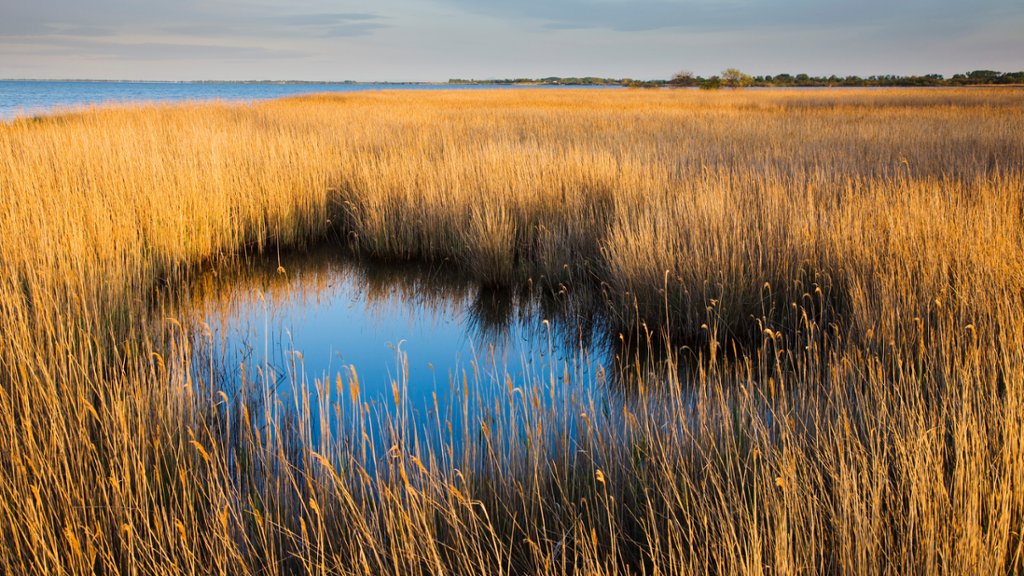
Lagoon Etang du Vaccares, Camargue, France
Sign in to add this photo to your favorites and desktop wallpaper rotation.
The Etang du Vaccares is a lagoon located in the Camargue region of southern France. It is one of the largest lagoons in the Camargue and is known for its diverse wildlife and natural beauty. The lagoon is home to a wide variety of bird species, including flamingos, herons, egrets, and ducks. It is a popular destination for birdwatchers and nature enthusiasts, who come to see the birds in their natural habitat. The lagoon is also home to a number of other animals, including horses, bulls, and even some species of fish. Visitors can explore the lagoon on foot or by boat, and there are several hiking trails and observation points throughout the area. The Etang du Vaccares is part of the Camargue Regional Nature Park, which is dedicated to preserving the natural beauty and biodiversity of the region. The park is also home to salt marshes, wetlands, and sand dunes, making it a unique and diverse ecosystem. Overall, the Etang du Vaccares is a stunning natural area that offers visitors the chance to experience the beauty and wildlife of the Camargue region. It is a must-visit destination for anyone interested in nature and wildlife.