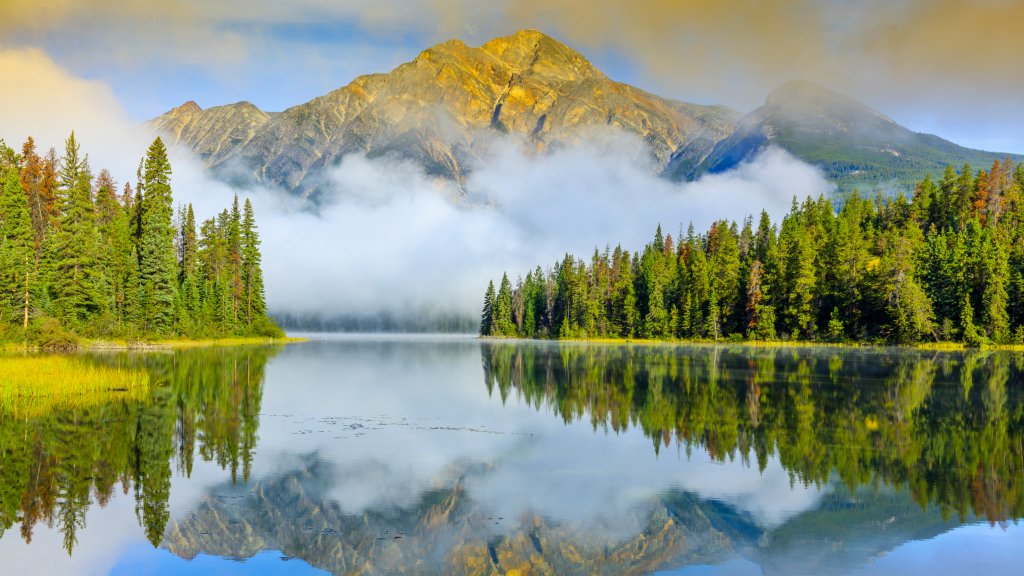
Pyramid Lake, Jasper National Park, Canada
Sign in to add this photo to your favorites and desktop wallpaper rotation.
Pyramid Lake is a picturesque glacial lake located in Jasper National Park, Alberta, Canada. It is situated at the foot of Pyramid Mountain, which provides a stunning backdrop and contributes to the lake's name. The lake is a popular destination for both tourists and locals, offering a range of recreational activities throughout the year. In the summer, visitors can enjoy activities such as canoeing, kayaking, and fishing. The lake's serene waters and surrounding natural beauty make it an ideal spot for photography and picnicking. There are also several hiking trails in the area, including the Pyramid Lake Loop, which offers scenic views of the lake and the surrounding mountains. During the winter months, Pyramid Lake transforms into a winter wonderland. It becomes a popular spot for ice skating and cross-country skiing. The frozen lake and snow-covered landscape provide a unique and tranquil experience for visitors. Pyramid Lake is easily accessible from the town of Jasper, making it a convenient destination for those exploring Jasper National Park. The lake is also home to Pyramid Island, a small island connected to the shore by a wooden footbridge. The island offers a peaceful retreat and is a popular location for weddings and small gatherings. Overall, Pyramid Lake is a must-visit destination for nature lovers and outdoor enthusiasts, offering breathtaking views and a variety of activities in a stunning natural setting.