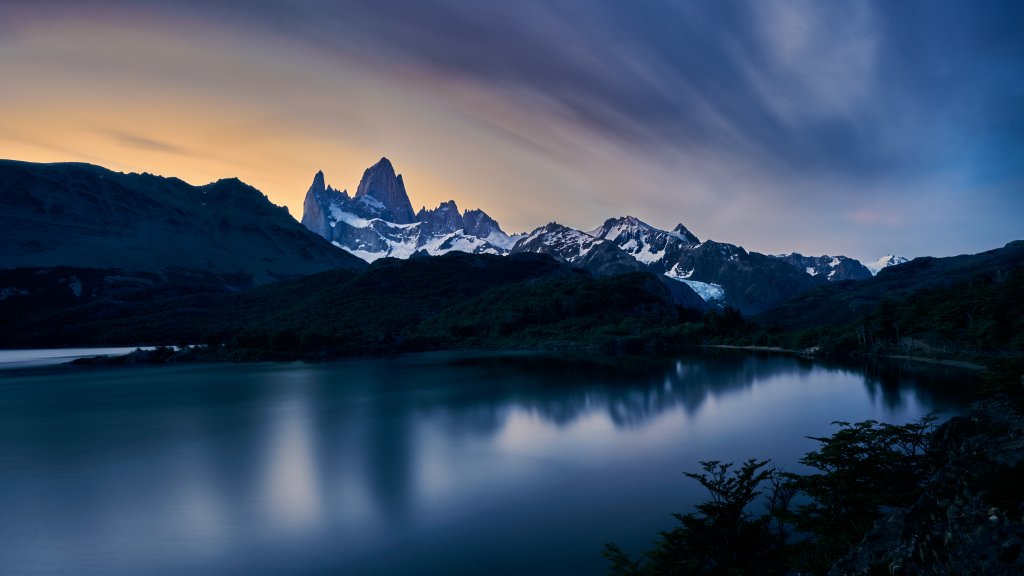
Mount Fitz Roy, Patagonia, Argentina
Sign in to add this photo to your favorites and desktop wallpaper rotation.
Mount Fitz Roy, also known as Cerro Chaltén, is a prominent mountain located in the Southern Patagonian Ice Field, on the border between Argentina and Chile. It is situated in the Los Glaciares National Park in the Argentine part of Patagonia. The mountain is renowned for its stunning, jagged peaks and dramatic granite spires, making it a popular destination for climbers and trekkers from around the world. Mount Fitz Roy stands at an elevation of approximately 3,405 meters (11,171 feet), and it is considered one of the most challenging mountains to climb due to its steep faces and unpredictable weather conditions. The mountain was named after Robert FitzRoy, the captain of HMS Beagle, the ship that carried Charles Darwin on his famous voyage. The surrounding area offers spectacular landscapes, with glaciers, turquoise lakes, and diverse wildlife, making it a favorite spot for outdoor enthusiasts and photographers. The nearby town of El Chaltén serves as a base for visitors exploring the region. Popular activities include hiking the trails that lead to viewpoints such as Laguna de los Tres, which offers breathtaking views of Mount Fitz Roy. The mountain holds cultural significance for the indigenous Tehuelche people, who named it "Chaltén," meaning "smoking mountain," due to the clouds that often form around its peak. Mount Fitz Roy's unique beauty and challenging terrain continue to captivate adventurers and nature lovers alike.